
9 Inventory Management Mistakes Small Retailers Should Avoid
Small stock errors become lost sales, unnecessary purchases and unreliable profit numbers. Learn which mistakes cause them and how to build a cleaner inventory routine in DukaanAdda.
Quick answer
How can a small retailer prevent inventory mistakes?
Maintain one clean record for every product, use consistent units, separate cost from selling price, enter stock after a physical count, set meaningful minimum-stock alerts and record every increase or decrease with the right reason. Review low stock, out of stock, inventory value and stock movements on a fixed schedule.
Inventory looks simple when a shop has a few shelves: count what came in, subtract what was sold and reorder what is running low. In practice, records drift because the same item is created twice, a box is confused with a piece, purchase and selling prices are mixed, damaged goods are not removed, or a manual correction is made without a note.
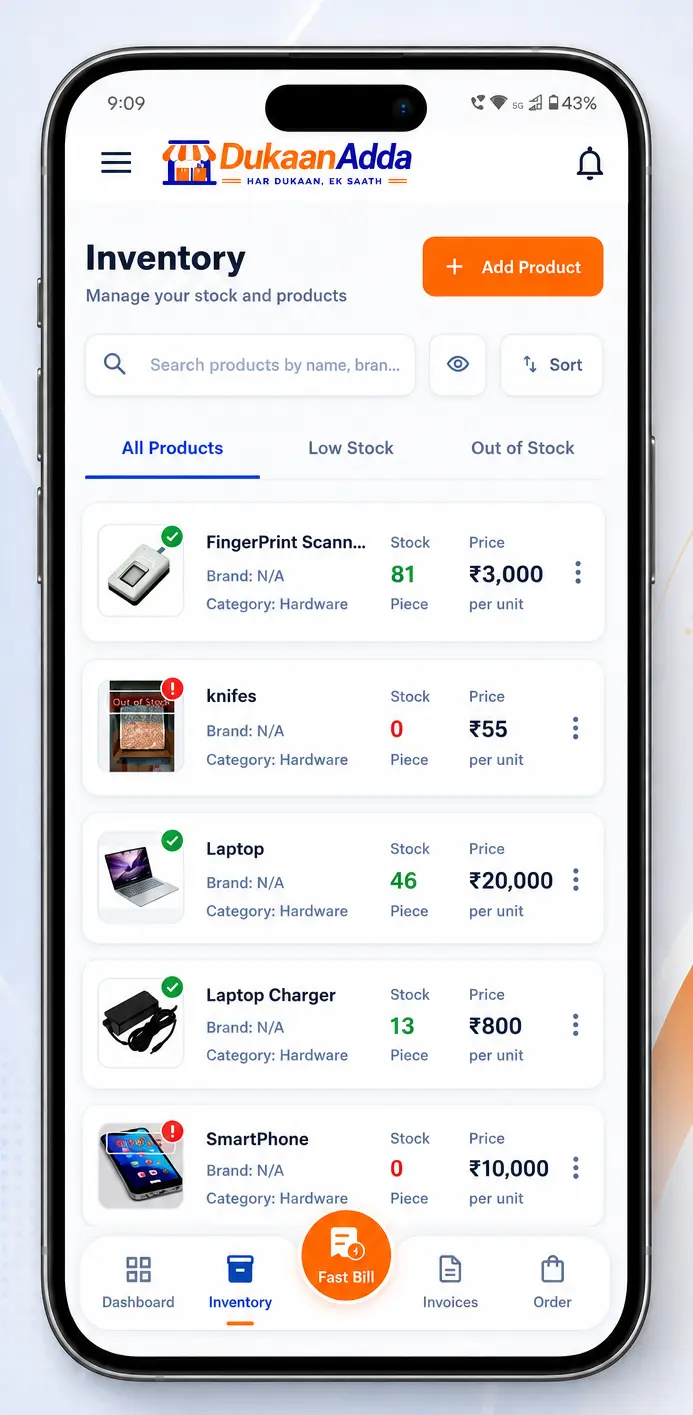
DukaanAdda gives retailers a product master, barcode and SKU search, stock status, minimum-stock alerts, product-level stock movements and inventory reports. Software helps only when the operating routine is disciplined. This guide focuses on nine mistakes that small retailers can prevent with better data and a repeatable stock-control process.
The foundation
Why inventory records go wrong
An inventory number is the result of many events: opening quantity, purchases, sales, returns, damaged stock and manual adjustments. If even one event is missing or attached to the wrong product, the displayed quantity no longer matches the shelf.
The problem becomes more serious because billing, stock value, low-stock alerts and product reports reuse the same data. A wrong unit can distort quantity, a wrong purchase price can distort inventory value, and a duplicate product can split one item across two records.
Product master
One accurate record per item and variant.
Movement trail
A reason for every stock change.
Review
Regular comparison of records and physical stock.
Inventory mistake 1
Creating unclear or duplicate product records
Names such as “Oil”, “Soap New” or “Rice 2” may make sense to the person who created them but not to another cashier. Variants then get selected incorrectly, and staff may create a second product because they cannot find the first one.
Use a naming rule that describes the sellable variant: product or brand, pack size and a distinguishing attribute. For example, “Brand X Cooking Oil 1 L” is easier to search than “Oil”. Assign the correct category, optional subcategory and brand, and add a product image when similar variants are hard to identify at the counter.
- Use a product name that includes the important variant or pack size.
- Assign the correct category, brand and selling unit.
- Save a unique SKU or barcode where one is available.
- Keep purchase price separate from selling price.
- Enter current opening stock after a physical count.
- Set a product-specific minimum-stock alert.
- Confirm tax applicability and the correct GST rate.
- Add a clear product image when it helps staff identify variants.
Search before creating
Inventory mistake 2
Leaving SKU and barcode fields unplanned
Product names are useful, but they are not always unique. Two pack sizes can have similar names, and spelling can vary between operators. A SKU gives the shop an internal product code, while a barcode can connect the physical pack to its inventory record.
DukaanAdda lets you type or scan a barcode and find products by barcode or SKU. Save each code against the exact sellable variant. Do not reuse one code across different pack sizes, and test the common products before a busy shift.
Use SKU for
A short internal code that staff can type and use even when the supplier barcode is missing or inconvenient.
Use barcode for
Quickly matching a packaged product to the correct record during search or billing.
When an item has no printed barcode, an internal SKU still improves consistency. For loose goods, a descriptive name and correct unit may matter more than forcing a barcode workflow that staff cannot maintain.
Inventory mistake 3
Mixing purchase price and selling price
Purchase price represents the cost recorded for one unit of stock. Selling price represents the amount charged to the customer before any applicable bill-level adjustment. Swapping them can make the bill wrong and the inventory value misleading.
DukaanAdda calculates product stock value from current stock multiplied by purchase price. If 20 units are recorded at a purchase price of ₹80, the product-level stock value is ₹1,600. Entering the ₹100 selling price in the cost field would overstate that value by ₹400.
| Field | Meaning | If wrong |
|---|---|---|
| Purchase price | Recorded cost per unit | Stock value and margin become unreliable |
| Selling price | Customer-facing unit price | Bills can undercharge or overcharge |
| GST rate | Tax rate when applicable | Tax calculation can be incorrect |
Review cost changes
Inventory mistake 4
Using the wrong unit or guessing opening stock
A stock number has no meaning without its unit. Ten boxes are not the same as ten pieces, and five kilograms are not the same as five packets. DukaanAdda supports practical units including piece, box, packet, kilogram, gram, litre, millilitre, metre, feet and bundle.
Choose the unit that matches how the item is sold and tracked. If stock is entered in boxes but billing removes pieces, the record will drift unless the business has a clear conversion process. Do not change a product unit casually after transactions have started.
Opening stock should come from a physical count, not a memory estimate. Count one category or shelf at a time, label counted areas and have a second person verify valuable products. Enter the quantity only after the correct product variant and unit are confirmed.
Create defaults, then verify each product
Inventory mistake 5
Using meaningless minimum-stock alerts
A minimum-stock level should answer a practical question: “At what quantity do we need to act?” Setting every product to zero means the warning arrives only when the item is already unavailable. Using the same large threshold for every item can create so many warnings that staff ignore them.
In DukaanAdda, a product is treated as low stock when current stock is above zero but at or below its minimum alert level. Zero is shown separately as out of stock. Set a higher threshold for fast-moving or slow-to-replenish products and a lower one where delivery is quick and demand is stable.
A simple alert-setting method
1. Observe
Estimate normal sales during supplier lead time.
2. Protect
Add a sensible buffer for demand or delivery variation.
3. Review
Change the level when actual sales patterns change.
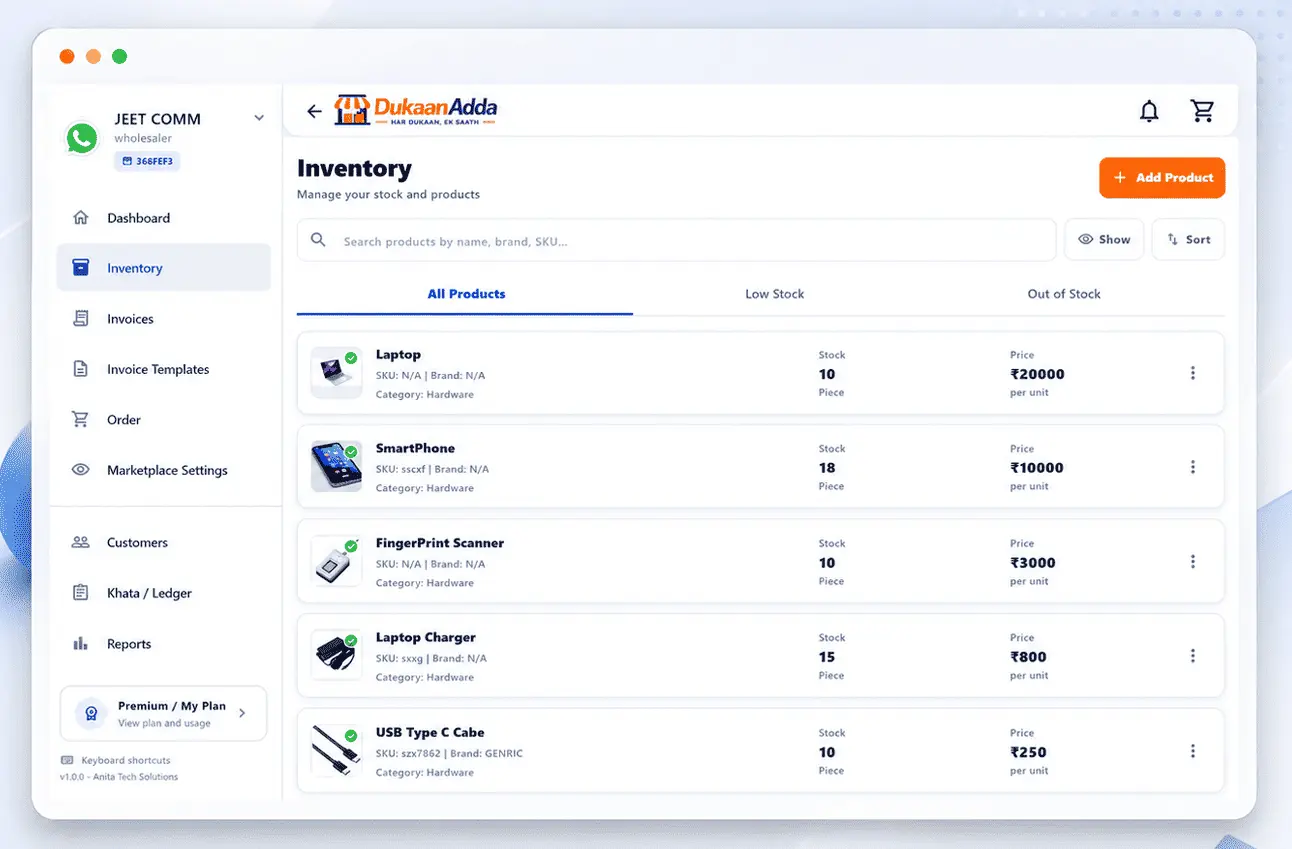
The inventory screen includes separate All Products, Low Stock and Out of Stock views. Treat those tabs as a daily action list, not a decorative dashboard.
Inventory mistake 6
Changing stock without recording the reason
When the shelf and app disagree, changing the number directly may fix today's total but remove the evidence needed to find the cause. Was it a purchase, sale, customer return, damaged item, counting error or manual correction?
DukaanAdda stock adjustment asks for movement type, quantity and optional notes. Supported records include purchase, sale, manual add, manual remove, adjustment, return and damaged stock. Product details show the previous stock, new stock, movement type, quantity, time and notes.
Purchase
Stock received from a supplier.
Return
Goods returned to available inventory.
Damaged
Items that can no longer be sold.
Adjustment
A verified correction after a count.
Write useful notes
Inventory mistake 7
Ignoring search, filters and stock-health views
A long product list is not a stock-control process. Without filters, urgent items get buried between healthy products. DukaanAdda shows total products, low-stock count, out-of-stock count and total inventory value, with dedicated stock-health tabs.
Products can be sorted by recently updated, name, stock quantity or selling price. Use Stock Low to High when planning replenishment, Recently Updated when checking a batch of edits, and search by brand, SKU or barcode when investigating a specific item.
Do not treat total stock value as cash in the bank. It is a recorded inventory measure based on current quantity and purchase price. Its usefulness depends on correct quantities and cost data.
Inventory mistake 8
Deleting products to hide a stock problem
Deleting a product is not a substitute for recording damaged, returned or missing stock. A live product may still be used by staff, appear in marketplace visibility settings or carry quantity that must be accounted for.
DukaanAdda prevents hard deletion while current stock is not zero. If an item should no longer be sold, first determine what happened to the remaining quantity. Record the appropriate movement, review the result and delete only when zero stock and the business purpose are clear.
Never manufacture a zero balance
Inventory mistake 9
Skipping physical audits and inventory reports
An app can record activity but cannot see what is actually on the shelf. Leakage, breakage, unrecorded samples, supplier shortages and counting mistakes appear only when physical stock is compared with the system.
Use cycle counts for selected products during the month and a wider count at a schedule suitable for the business. Count fast movers, high-value goods and items with repeated adjustments more frequently. Pause movements for the area being counted so the comparison has a clear cutoff.
DukaanAdda's inventory report includes date filters, total products, stock value, low-stock and out-of-stock metrics, stock movement trends, category distribution, top-moving products, stock health and recent activity. The report can be exported as PDF. Use it to decide where to investigate, then verify against physical stock and source documents.
Offline awareness
DukaanAdda workflow
Set up a product correctly step by step
- 1
Search first
Check name, brand, SKU and barcode to prevent a duplicate.
- 2
Name the variant
Include brand, pack size or another useful identifier.
- 3
Classify it
Choose the correct category, subcategory, brand and unit.
- 4
Add identifiers
Save a unique SKU or scan/type the exact barcode.
- 5
Enter prices
Keep purchase cost separate from customer selling price.
- 6
Count opening stock
Use a verified physical quantity in the selected unit.
- 7
Set the alert
Choose a useful minimum stock level for this product.
- 8
Configure tax
Confirm whether tax applies and use the correct GST rate.
- 9
Review and save
Check the complete record before staff use it in billing.
The product master also supports description, product image and marketplace visibility. Use visibility deliberately when the wholesaler marketplace workflow is enabled: a public listing should have an accurate product, price, image and available stock.
Team process
A weekly inventory-control routine
- 1Sync the app and review Low Stock and Out of Stock views.
- 2Check recent stock movements for unusual manual adjustments.
- 3Count a rotating group of fast-moving or high-value products.
- 4Compare physical quantity with the product record and investigate differences.
- 5Record verified damaged goods, returns or corrections with notes.
- 6Review purchase and selling prices for products whose cost changed.
- 7Use the inventory report to inspect stock value, categories and top-moving products.
- 8Prepare the supplier order list from actual demand and lead time.
Assign ownership. If everyone can fix stock but nobody must explain a change, the record will drift again. Decide who can create products, change prices, adjust quantity and approve a physical-count correction.
Continuous improvement
Inventory metrics worth tracking
| Metric | What it tells you | Action when weak |
|---|---|---|
| Low-stock count | Items approaching the alert level | Prioritise replenishment |
| Out-of-stock count | Unavailable products and possible lost sales | Review ordering and demand |
| Stock value | Recorded cost tied up in current stock | Check quantity and purchase price |
| Manual adjustments | How often records need correction | Investigate repeated causes |
| Damaged quantity | Stock lost before sale | Improve storage or handling |
| Top-moving products | Items with strong recorded movement | Protect availability |
| Count variance | Difference between physical and recorded stock | Trace missing movements |
No single metric proves inventory is healthy. A low out-of-stock count may mean excellent ordering, or it may mean the recorded quantity is too high. Combine app indicators with physical checks and supplier documents.
FAQ
Inventory management questions from retailers
What is the most common inventory mistake in a small shop?
The most damaging pattern is an inaccurate product master: duplicate names, wrong units, old prices and missing barcodes. Every bill and stock report depends on that base data, so clean product records should come before advanced reporting.
How often should a retailer check physical stock?
High-value and fast-moving items should be checked more frequently, while a complete count can follow a weekly, monthly or cycle-count schedule suited to the shop. Compare physical quantity with the app and record a reason for every correction.
Can DukaanAdda search products by barcode or SKU?
Yes. The inventory search supports product name, brand, SKU and barcode. DukaanAdda also includes barcode scanning, provided the correct barcode is saved against the product.
What is the difference between purchase price and selling price?
Purchase price is the cost recorded for acquiring one unit, while selling price is what the customer is charged before applicable bill-level adjustments. DukaanAdda uses current stock and purchase price to calculate stock value.
How does a minimum-stock alert work?
Each product can have a minimum stock level. When available stock reaches or falls below that level, the product is treated as low stock. Zero stock is shown separately as out of stock.
Can I adjust stock manually in DukaanAdda?
Yes. Product details include stock adjustment with a movement type, quantity and optional notes. Supported movement records include purchase, sale, manual add, manual remove, adjustment, return and damaged stock.
Can I delete a product that still has stock?
No. The verified DukaanAdda delete safeguard requires current stock to be zero before the product can be deleted. Correct the inventory through an appropriate stock movement instead of deleting a live product.
Does DukaanAdda show total inventory value?
Yes. The inventory screen and inventory report include stock-value information. At product level, stock value is calculated from current quantity multiplied by purchase price.
Can I export an inventory report?
Yes. DukaanAdda includes an inventory report with date filters, stock metrics, movement trends, category distribution, top-moving products, stock health and recent activity, plus PDF export.
Does inventory update work fully offline?
Cached inventory information may remain available, but verified product create, update, delete and manual stock-adjustment actions require an internet connection. Sync pending app data when connectivity returns before relying on the latest totals.
Build inventory records your shop can trust
Use DukaanAdda for products, stock alerts, barcode search, billing, customers, khata, reports and marketplace workflows on Android and Windows.
Download DukaanAdda